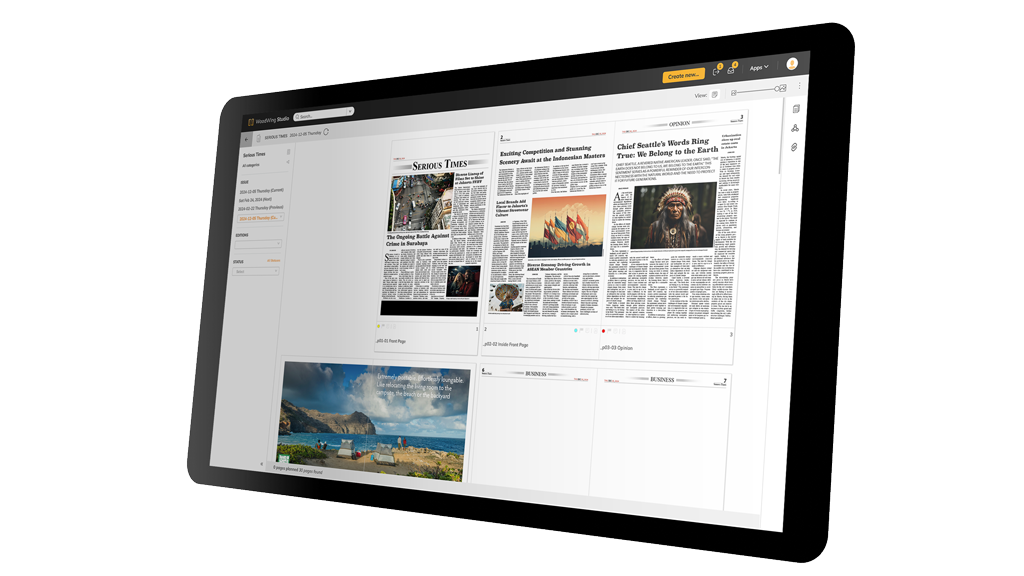

Centralized Content Planning
Plan and manage all your content from a single overview, giving your team clear visibility into upcoming publications, deadlines, and priorities.

A multi-channel content creation system built for teams working in Adobe InDesign and beyond.
10 features in WoodWing Studio you’ll appreciate from day one.
Plan and manage all your content from a single overview, giving your team clear visibility into upcoming publications, deadlines, and priorities.
Define and automate every step of your editorial process, from ideation to publication, ensuring consistency and efficiency across teams.
Create content once and seamlessly publish it across print, web, mobile, and social channels without duplicating effort.
Enable writers, editors, and designers to work together simultaneously within the same environment, reducing bottlenecks and miscommunication.
Track every change made to your content with full version history, allowing teams to compare edits and revert when needed.
Assign tasks, set deadlines, and track progress across your editorial team to ensure accountability and timely delivery.
Connect your editorial workflow directly with Adobe InDesign to streamline the creation of print-ready layouts.
Use structured content and metadata to make your content reusable, searchable, and ready for multi-channel distribution.
Standardize review and approval processes with clear roles and statuses, ensuring content is validated before publication.
Store and organize published content in a central archive, making it easy to find, reuse, and repurpose valuable assets.
Are you curious to see if WoodWing Studio is a right fit for you? We'll assist you at every step.
For the on-premise version

WoodWing supports customers in managing content, assets, knowledge, and enterprise information with solutions that cover creation, collaboration, compliance, and quality assurance.


